
Snap the whiteboard and Atlon writes up the WOD
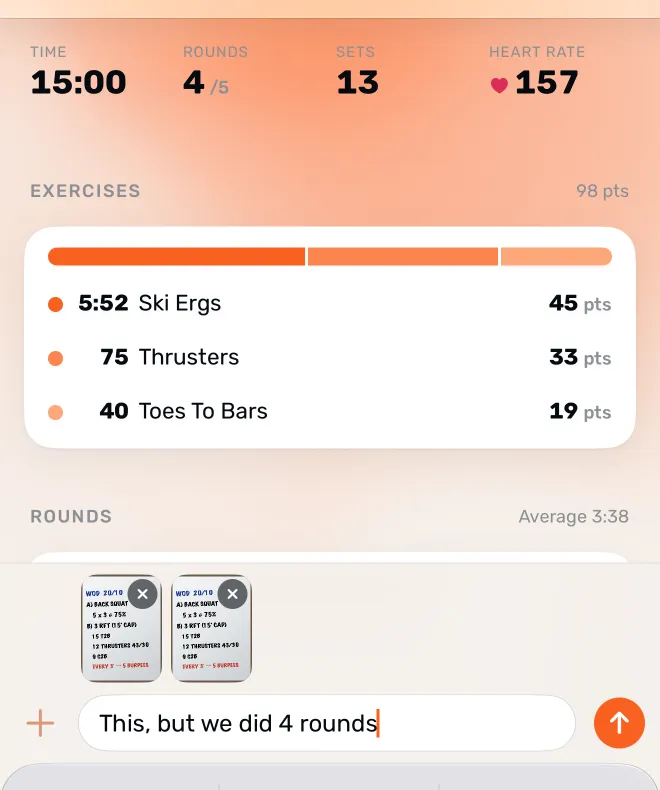
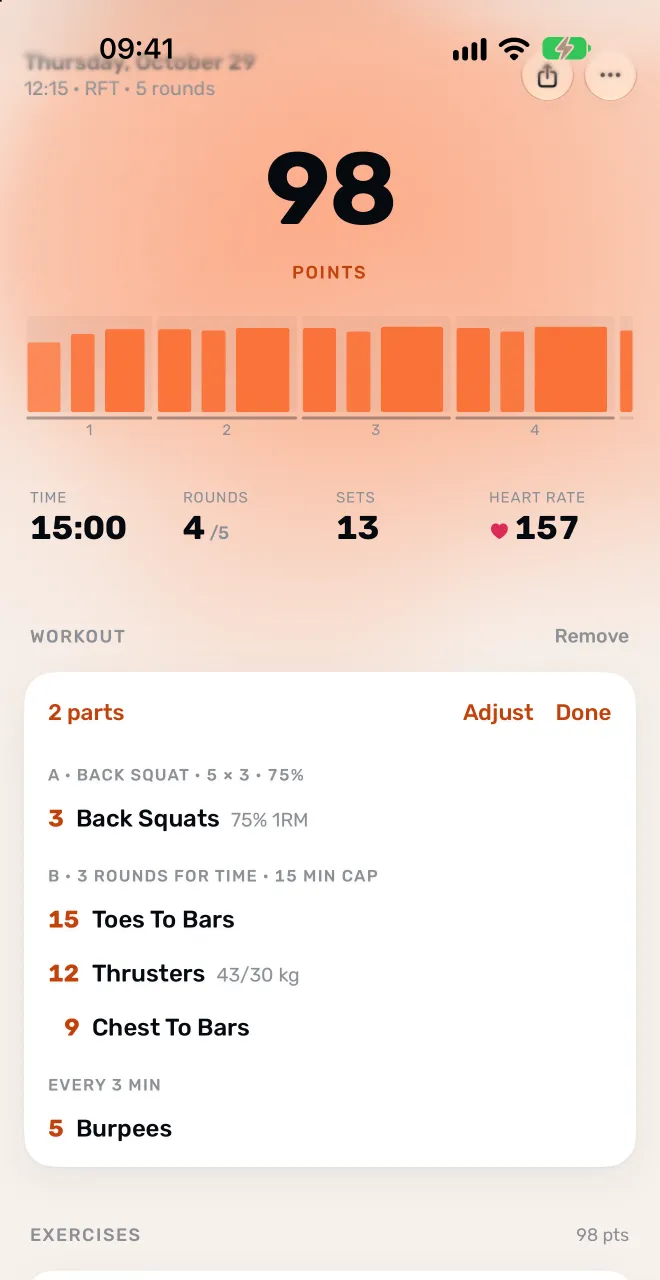
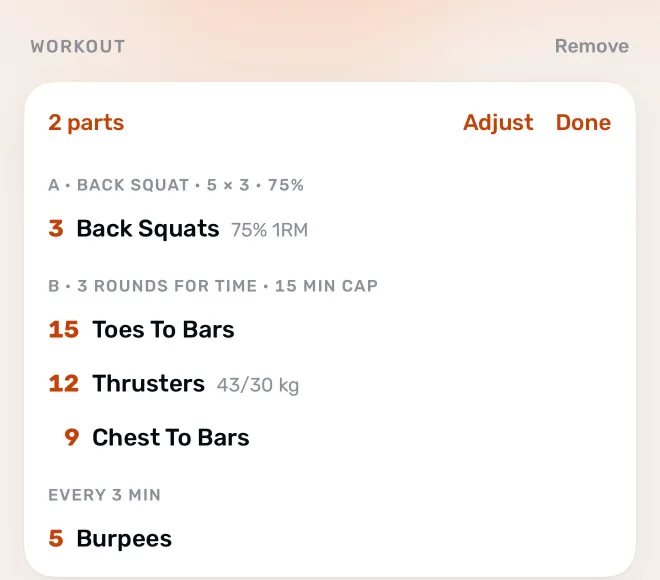
Snap the whiteboard and Atlon writes up the workout for you. After you’ve trained, open the workout on your iPhone, take a photo of the whiteboard, paste a screenshot from your gym’s app or type it, and Atlon’s AI writes it up as the workout’s plan in a few seconds: its title, its parts and a line per movement, with reps and loads. Something’s off? Say what to change in your own words.
What it reads
A plan can hold warm-ups and cool-downs, lettered parts (A, B, C), AMRAPs, for-time with caps, EMOMs and “every 2:00” workouts, intervals, buy-ins, ladders, rest between rounds or parts, partner and team workouts, and named benchmark workouts. You can send up to two pictures with a line of text, such as “we did 4 rounds”.
A class recorded in parts (warm-up, strength, WOD) needs one plan for all of it.
Good to know
- The plan is added after the workout. It doesn’t set up the timer on your watch; choose the mode on the watch as usual.
- It uses an outside AI service. What you type and the photos you send go to a third-party AI provider to be read.
- Blurry or partial photos may not read. Atlon says so, and you can try a sharper photo or type it.
Questions
- How do I enter a complex WOD?
- Should I record the whole class or just the WOD?
- What data does Atlon collect?
Updated