
A strength tracker for Apple Watch that logs every set
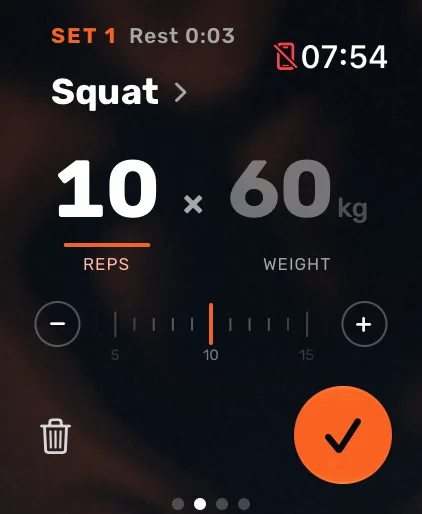
Atlon’s Strength mode logs your lifting on your Apple Watch. Press play and lift: Atlon detects each set, names the exercise and counts the reps. You set the weight while you load the bar, and Atlon shows your last set at a glance. When you’re done, every set is on your iPhone and the session is saved to Apple Health as Traditional Strength Training.
What it does
- Set detection: a short pause inside a set, like re-racking for a few seconds, stays one set.
- Exercise recognition, including bench press, cleans, clean and jerks, deadlifts, front squats, overhead squats, shoulder-to-overhead, snatches and thrusters. Correct it once and Atlon remembers next time.
- Rep counting for every set.
- The weight you set, with your last set to start from.
- A rest timer between sets.
What the watch can’t tell
The weight on the bar: you set it. Close variations, such as a power clean and a squat clean, are both a clean; pick the exact one on the set card if you want it in your log.
What strength sessions look like on Atlon
The median strength session recorded with Atlon lasted 16 minutes, with 7 sets of 2 exercises and a median 92 seconds of rest between sets. Squats were the most-trained lift, then bench press and cleans.
Questions
- Can Apple Watch track weightlifting?
- Does Atlon sync with Apple Health?
- Should I record the whole class or just the WOD?
- Functional vs traditional strength training vs HIIT
Updated