
Atlon for gyms: a class timer on your iPhone, run from your watch
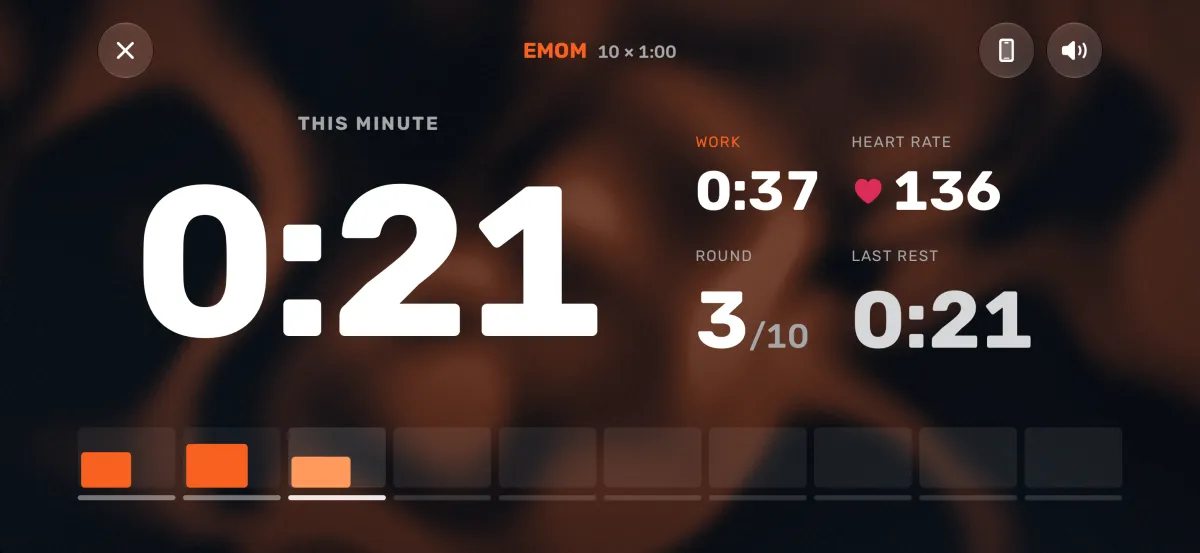
Coaches can run the class clock from their Apple Watch and show it to the whole room on an iPhone. Start an AMRAP, EMOM, RFT or interval workout on the watch, prop the phone up, and Atlon shows the clock and the round full screen, big enough to read across the gym, with the countdown beeps athletes know. Members with their own Apple Watch can record the same class with Atlon and get every exercise, rep and round logged. Atlon is free.
How do I run a class timer with Atlon?
- On the coach’s iPhone, open Atlon and tap the stopwatch circle next to the tab bar. The big screen shows what the watch has ready, for example “AMRAP · 12:00 ready on your watch”, and the phone stays awake.
- Prop the phone up where the class can see it. It turns to landscape, even with rotation lock on.
- On the coach’s Apple Watch, pick the mode that matches the WOD (AMRAP, RFT, EMOM or Intervals), set it up and press play. The phone’s countdown starts with the watch’s.
- During the workout, the phone shows the clock, the round and the work and rest, and plays the beeps: 3, 2, 1, a long beep for go and each interval change, and a low one at the end. They play with the silent switch on and over the gym’s music.
Rounds, pauses and the end all come from the watch, so there’s one clock and nothing to start in sync. More about the big screen
What do members get?
Members who wear an Apple Watch can record the class themselves, each on their own wrist:
- Their reps and rounds, counted for them. Atlon recognises the exercises and counts the reps, so nobody has to remember their score.
- The whole class as one workout. Warm-up, strength and WOD, recorded in the modes that fit each part, come together as one workout. Recording a whole class
- The whiteboard, saved with the workout. After class, they can snap the whiteboard and Atlon writes it up as the workout’s plan.
- Apple Health. Every workout is saved with its heart rate and calories, so their rings close.
What are the limits?
- The coach needs an Apple Watch running the workout. The big screen shows the watch’s workout; it isn’t a standalone timer.
- The iPhone only shows the workout. Start, pause and rounds are on the watch.
- The phone needs to be near the watch. If it loses the watch, the workout carries on on the wrist, and the big screen picks it up again when the phone is back in range.
- One clock per watch. Two heats on different clocks need two coaches’ watches and phones.
Does your gym use Atlon?
Add a badge to your website so your members know they can track their WODs on their Apple Watch. Use the code below, or download the images and link them to https://atlon.app/.
Downloads: dark SVG · dark PNG · light SVG · light PNG


<a href="https://atlon.app/">
  <img src="https://atlon.app/badges/atlon-badge-dark.svg" width="320" height="96"
       alt="Track your WODs with Atlon on Apple Watch">
</a>
Using Atlon in your classes, or want to? Tell us at hello@atlon.app.
Questions
- Can I use my iPhone as a gym timer?
- How is Atlon different from a WOD timer app?
- Which Apple Watch models work with Atlon?
- Is Atlon free?
Updated