
How do I do rounds for time (RFT) on Apple Watch?
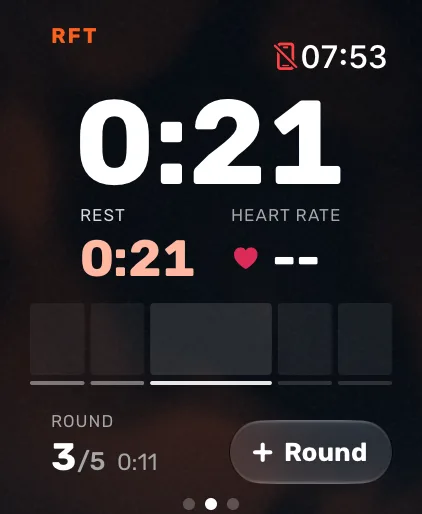
Open Atlon on your Apple Watch, swipe to RFT, tap the settings pill and set the rounds (1 to 50) and, if you want one, a time cap (up to 90 minutes). Press play. Tap Round after each round; on the last round the button says Finish. Your time stops there and is your score.
How it works
- Set it up: swipe to RFT and tap the pill (for example
5 rounds). Set the rounds. The time cap is off by default: tap + to add one, and tap the cap again to remove it. - Start: press play. After the countdown, the clock counts up, since your time is the score. The current round shows on the screen, and on your iPhone if you use it as a gym timer.
- Count rounds: tap Round at the end of each round, or double tap on supported watches. On the last round the button turns into ✓ Finish.
- The end: the workout ends when you finish the last round, or when the cap runs out. With a cap, the watch taps your wrist at 3, 2, 1 seconds left.
Atlon recognises the exercises and counts the reps the whole way, and saves each round’s time.
Limits
- The workout only finishes on time if you count every round. If you miss one, end the workout from the controls page.
- If you tap twice within 3 seconds, it counts once. Counted early? Tap Undo within 4 seconds, or use Undo round on the controls page.
- A single-round chipper (for example 50-40-30-20-10) works as RFT with 1 round. Atlon still recognises each exercise and counts the reps.
Related questions
- How do I set up an AMRAP on Apple Watch?
- How do I count rounds with double tap?
- How do I enter a complex WOD?
- Can I use my iPhone as a gym timer?
Updated