
How do I start my first workout with Atlon?
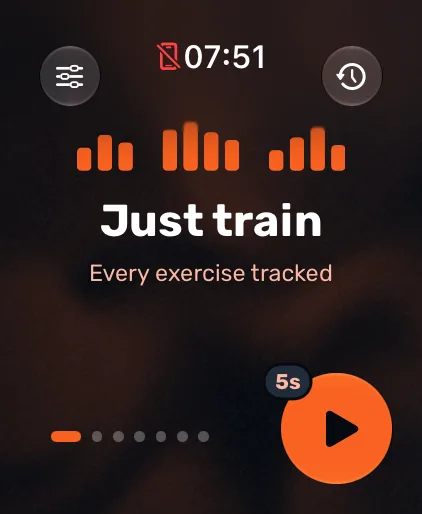
Install Atlon on your iPhone, sign in and allow Apple Health access. Then open Atlon on your Apple Watch, swipe to a mode (Just train is the simplest), and press the orange play button. After a short countdown, train as normal. Atlon recognises your exercises, counts reps and times your work and rest.
How it works
- On your iPhone: install Atlon from the App Store. Sign in with Apple (or with email if you already have an Atlon login). Agree to the privacy policy and allow Apple Health access, so Atlon can read your heart rate and calories and save your workouts.
- On your Apple Watch: open Atlon. The start screen is a carousel of modes: Just train, Strength, AMRAP, RFT, EMOM and Intervals. Swipe to the one you want.
- Set the timer (timed modes only): tap the settings pill under the mode’s name (for example
10 × 1:00) and change the values with the slider or the Digital Crown. Atlon remembers them for next time. - Press play. Every mode except Strength counts down first (5 seconds by default; you can pick 0, 3, 5 or 10 in the watch settings). Strength starts straight away.
- Train. For a first try, a few sets of push-ups, air squats or burpees in Just train show you what Atlon picks up.
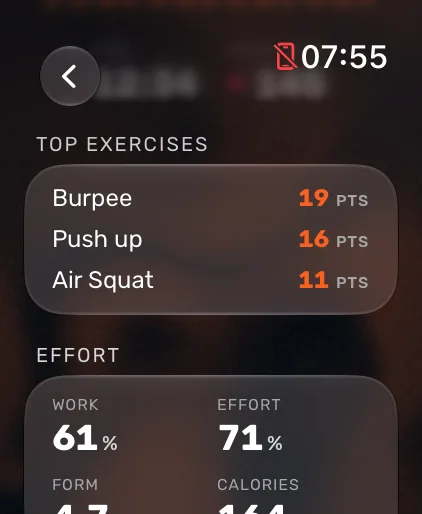
- End the workout: swipe right to the controls page, tap End and confirm. Atlon shows your results on your wrist: points, time, rounds, heart rate, effort and top exercises. The full workout, set by set, appears in the Workouts tab on your iPhone.
Check how you wear the watch
Atlon starts with the wrist and crown side set on your Apple Watch. If you wear it differently, change it on the watch in Atlon’s settings under Watch orientation. If it’s wrong, exercise detection suffers.
Limits
- You need both an Apple Watch and an iPhone. Atlon has no Android or Wear OS version.
- A very short Just train session (under 3 minutes, 3 sets or fewer) is treated as a test: Atlon shows what it caught and lets you choose not to save it.
- Exercises Atlon doesn’t recognise are still timed as work, usually unnamed. If you add the workout’s plan on your iPhone, they count from the plan.
Related questions
- What do I need to use Atlon?
- Which Apple Watch models work with Atlon?
- Which exercises does Atlon recognise?
- How do I set up an EMOM on Apple Watch?
- How do I correct an exercise or rep count after a workout?
Updated