
How does Atlon measure effort?
Effort is a percentage from your average heart rate during the workout. It’s the share of a reference group whose average heart rate was below yours: an average of 140 bpm gives about 42%, 160 bpm about 71%, and 170 bpm about 88%. It goes from 0 to 99%. It sits next to Work, Form and Calories.
How it works
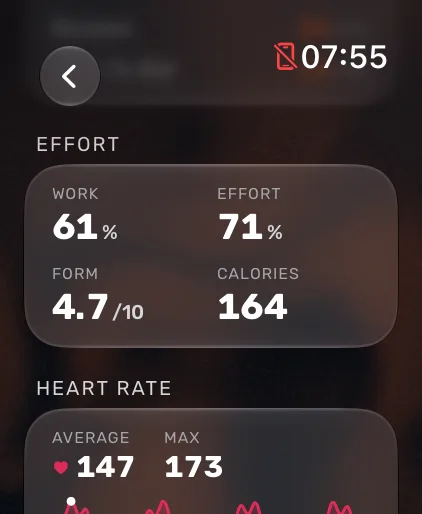
After every workout, your watch shows four numbers under Effort:
| Number | What it is |
|---|---|
| Work | The share of the workout Atlon detected you working rather than resting. |
| Effort | Your average heart rate, placed on a scale from 0 to 99%. |
| Form | How sure Atlon was of the exercises it recognised, out of 10. |
| Calories | Active calories from Apple Health. |
Some examples of average heart rate and the Effort it gives:
| Average heart rate | Effort |
|---|---|
| 120 bpm | 23% |
| 140 bpm | 42% |
| 150 bpm | 54% |
| 160 bpm | 71% |
| 165 bpm | 80% |
| 170 bpm | 88% |
On your iPhone, a workout made of several recordings (warm-up, strength and WOD) gets one Effort. Atlon leaves out strength and warm-ups, because Effort and Work measure conditioning, and combines the rest by length.
Limits
- It isn’t personal. Effort uses the same scale for everyone. It doesn’t know your age, maximum heart rate or fitness, so two people working equally hard can get different numbers. Compare it with your own past workouts, not with other people.
- It needs heart rate. Without heart rate data (for example if Apple Health access is off), Atlon can’t work out Effort.
- It’s an average. A workout with hard intervals and long rests averages out lower than its hardest parts.
Related questions
- What are Atlon points and how are they calculated?
- Does Atlon sync with Apple Health and close my rings?
- How does Atlon calculate calories?
- Should I record the whole class or just the WOD?
Updated