
Does Apple Watch count reps on its own?
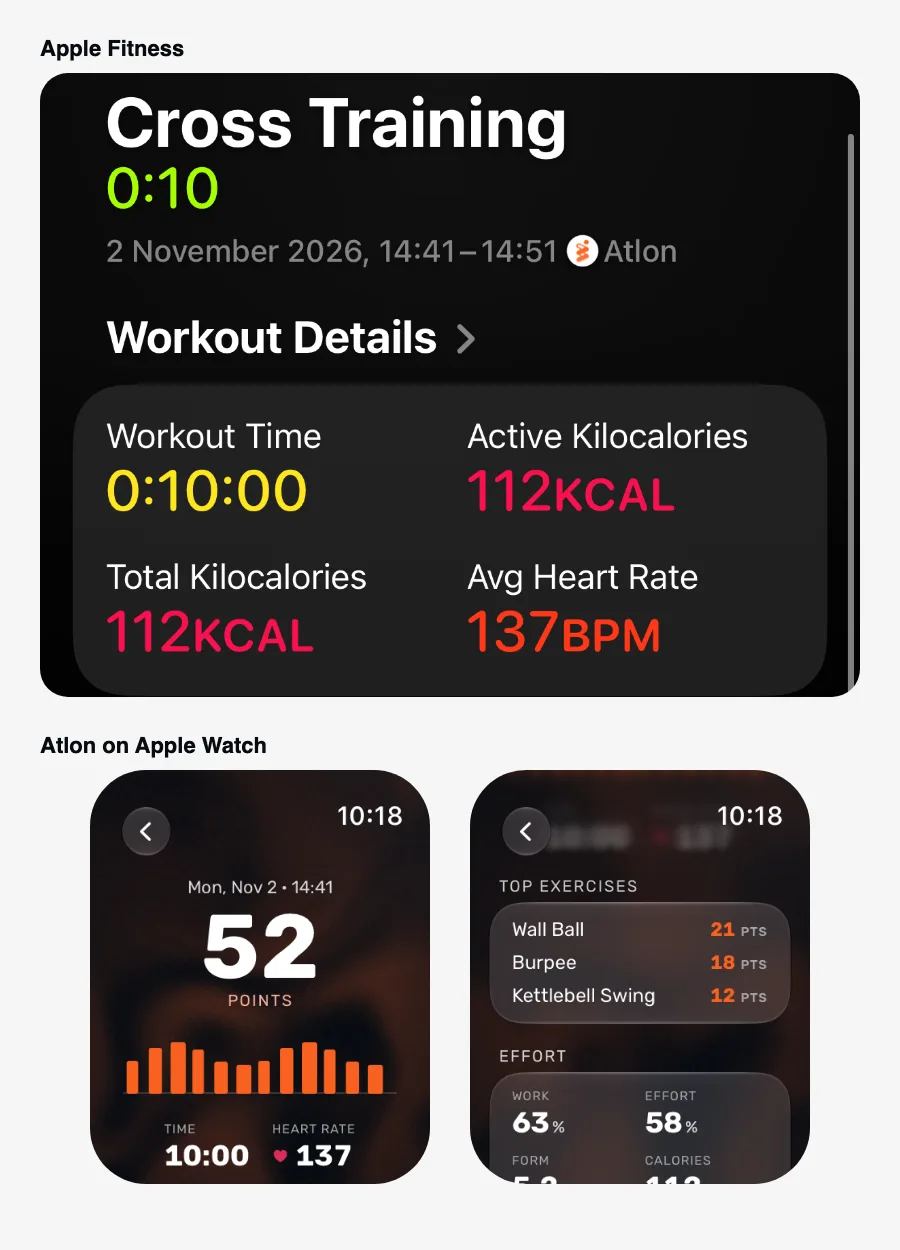
Not with Apple’s own Workout app. For strength and HIIT workouts it records your time, heart rate and active calories, but it doesn’t count reps. The watch has the motion sensors to do it, so third-party apps can: Atlon, for example, recognises the exercise and counts reps and rounds while you train.
How it works
What Apple’s Workout app records
You pick a workout type such as Functional Strength Training, Traditional Strength Training or High Intensity Interval Training (Apple: Workout types on Apple Watch). The watch then records the workout’s duration, heart rate and active calories. Apple’s watchOS 26 announcement added Workout Buddy for these types, which gives spoken motivation and insights during the workout; it doesn’t count reps either (Apple Newsroom, June 2025).
How an app counts reps
Apple Watch has an accelerometer and a gyroscope, and apps can read them during a workout. A rep-counting app turns that motion into reps. Atlon does it in three steps, all on the watch:
- It splits the workout into work and rest.
- It recognises the exercise in each stretch of work (for example wall balls, burpees or kettlebell swings).
- It counts the reps in each set.
Atlon’s accuracy: >96% exercise detection, >92% rep counting and >98% work vs. rest detection. When you add the workout’s plan, Atlon matches its sets to it, and recognition gets better with every release. See Does Atlon count reps automatically?
Limits
- Rep counting only works for exercises the app knows. Atlon recognises a set list of exercises; others are timed as work, usually without a name. See Which exercises does Atlon recognise?
- Weights aren’t measured. The watch can’t tell how heavy the bar is. In Atlon you set the weight in Strength mode; otherwise it comes from the workout’s plan, if you add one.
- Some exercises have no reps. Planks, carries, rowing and running are timed, not counted.
Related questions
- Can Apple Watch track weightlifting?
- Functional vs traditional strength training vs HIIT on Apple Watch
- Does Atlon count reps automatically?
- How is Atlon different from the Apple Workout app?
Updated