
How is Atlon different from a WOD timer app?
A WOD timer runs the clock: it counts down your AMRAP, beeps every minute of your EMOM and maybe counts rounds when you tap. Atlon does that on your Apple Watch, with your iPhone as a big-screen timer, and also recognises your exercises, counts reps, times work and rest, and saves it all as a training history.
How it works
By “timer-only app” we mean one that runs the clock and nothing else. Apps differ, so check the one you use.
| Timer-only app | Atlon | |
|---|---|---|
| AMRAP, EMOM, for-time, intervals/Tabata | Yes | Yes: AMRAP, RFT, EMOM, Intervals, plus Just train and Strength |
| Big screen with beeps | Often, on the phone | Yes: your iPhone shows the watch’s workout, with countdown beeps |
| Runs on Apple Watch | Varies | Yes, the watch runs the workout |
| Round counting | Varies | Tap, or double tap on supported watches |
| Recognises exercises and counts reps | No | Yes, on the watch |
| Work vs. rest | No | Detected automatically |
| Heart rate, calories, Apple Health | Varies | Yes, saved as an Apple Health workout |
| History of what you did | Times and rounds | Every set, with exercise and reps, plus points and a monthly recap |
| Price | Varies | Free |
One timer, not two
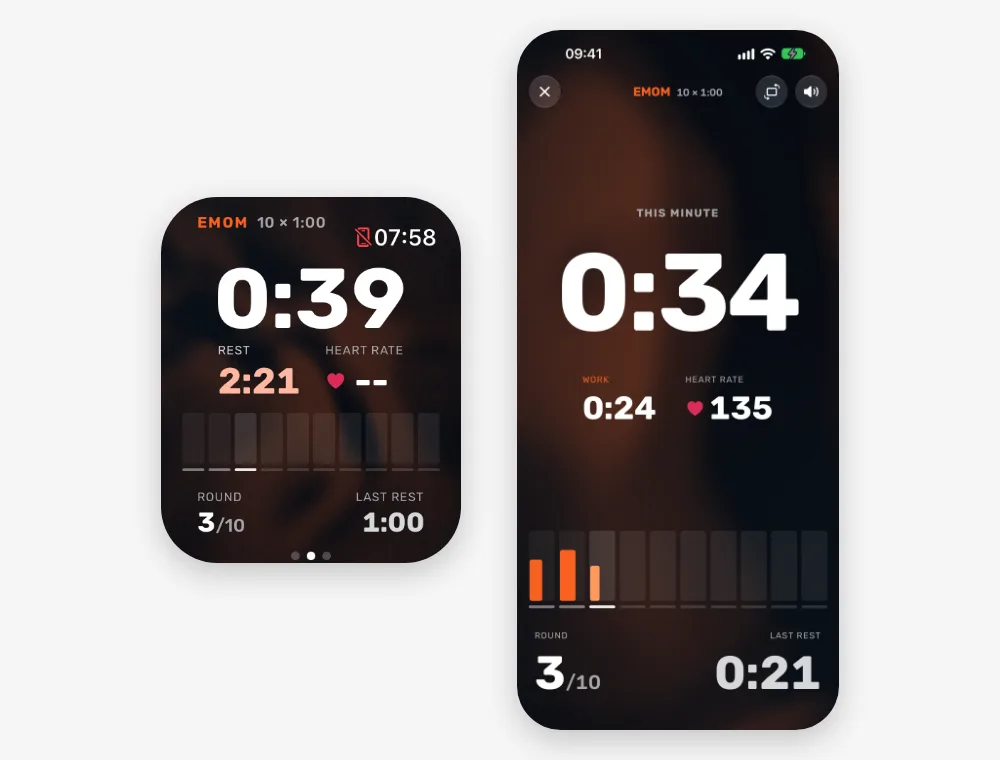
With a phone timer and a watch workout, you start two things and they drift apart. In Atlon, the watch runs the workout and the iPhone only shows it, so the phone’s countdown starts with the watch’s and there’s nothing to keep in sync.
Limits
- Atlon needs an Apple Watch. If you don’t have one, a phone-only timer app is the way to go.
- The big screen only works with a workout running on your own watch. It can’t run as a timer for the whole class on its own.
- Every EMOM and Intervals round has the same length. Timers with custom sequences of intervals can do more there.
Related questions
- Can I use my iPhone as a gym timer?
- How do I set up an EMOM on Apple Watch?
- How do I set up intervals or Tabata on Apple Watch?
- How is Atlon different from the Apple Workout app?
Updated