
How is Atlon different from the Apple Workout app?
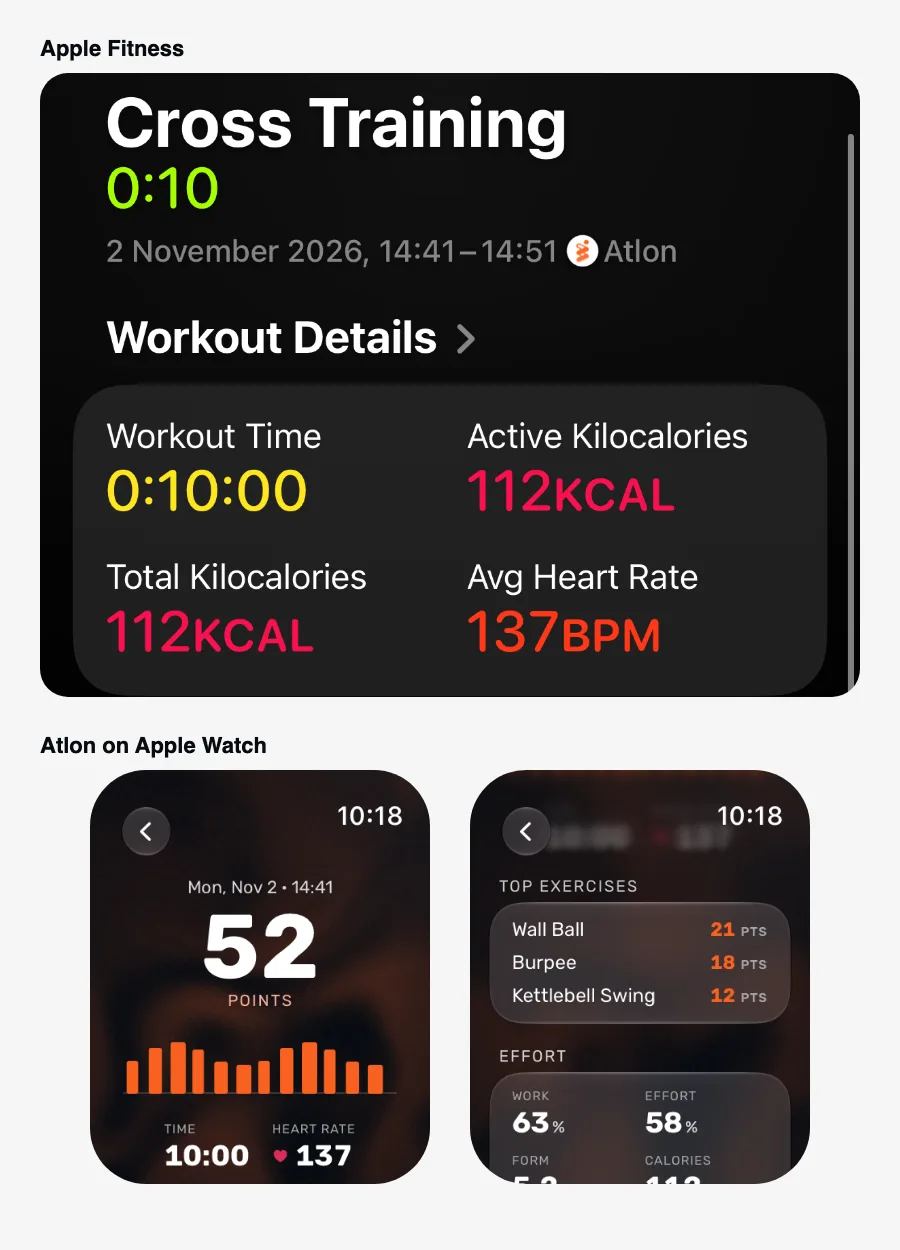
Both record your workout’s time, heart rate and calories and close your Activity rings. The difference is what happens between the start and the end. Apple’s Workout app tracks the session as a whole. Atlon recognises each exercise, counts your reps and rounds, separates work from rest, and runs AMRAP, EMOM, RFT and interval timers made for WODs.
How it works
| Apple Workout app | Atlon | |
|---|---|---|
| Time, heart rate, active calories | Yes | Yes (from Apple Health) |
| Counts towards Activity rings | Yes | Yes, saved as an Apple Health workout |
| Recognises the exercise | No | Yes, on the watch |
| Counts reps | No | Yes |
| Work vs. rest | Not described by Apple | Yes, detected automatically |
| Rounds | Not described by Apple | Tap or double tap in Just train, AMRAP and RFT; automatic in EMOM and Intervals |
| WOD timers | Custom workouts with work and recovery intervals | AMRAP, RFT, EMOM, Intervals, set up in seconds |
| Strength log (sets, reps, weight) | No | Strength mode: each set, reps and the weight you set |
| Workout on the iPhone as a big gym timer | Not described by Apple | Yes, with countdown beeps |
| Workout plan from a whiteboard photo | Not described by Apple | Yes, Atlon’s AI writes it up |
| Points and a monthly recap | Not described by Apple | Yes |
| Price | Built in | Free |
“Not described by Apple” means Apple’s documentation doesn’t list it. Sources for Apple’s side: Workout types on Apple Watch, Create a custom workout on Apple Watch.
When the Apple Workout app is enough
If you only want time, heart rate and calories, and you don’t need reps, rounds or a record of what you did, Apple’s Workout app does that well, with no extra app.
Limits
- Atlon is built for functional fitness, strength and interval training. For runs with GPS routes, swimming or cycling, use the Workout app or a dedicated app.
- Atlon’s exercise recognition covers a set list of exercises. Others are timed as work, usually without a name.
- Atlon needs an iPhone to sign in and to show your full history.
Related questions
- How is Atlon different from a WOD timer app?
- Does Atlon sync with Apple Health and close my rings?
- Is Atlon free?
Updated