
How do I add today's WOD from the whiteboard?
Before you train, add it on Home under What’s the workout today?. After you train, open the workout in the Workouts tab and tap Add the workout. Either way, take a photo of the whiteboard, paste a screenshot from your gym’s app, or type the workout, then send. Atlon’s AI writes it up as the workout’s plan in a few seconds, and matches it to what your watch recorded. If something’s off, tap Adjust and say what to change.
How it works
- Before or after. Before you train, add it on Home, under What’s the workout today?: it goes on your first workout of the day. After you train, open the workout in the Workouts tab and tap Add the workout (at the end of Exercises), or Add the workout plan in the ⋯ menu.
- Record the workout on your watch as usual. The plan doesn’t set up the timer, so pick the mode on the watch.
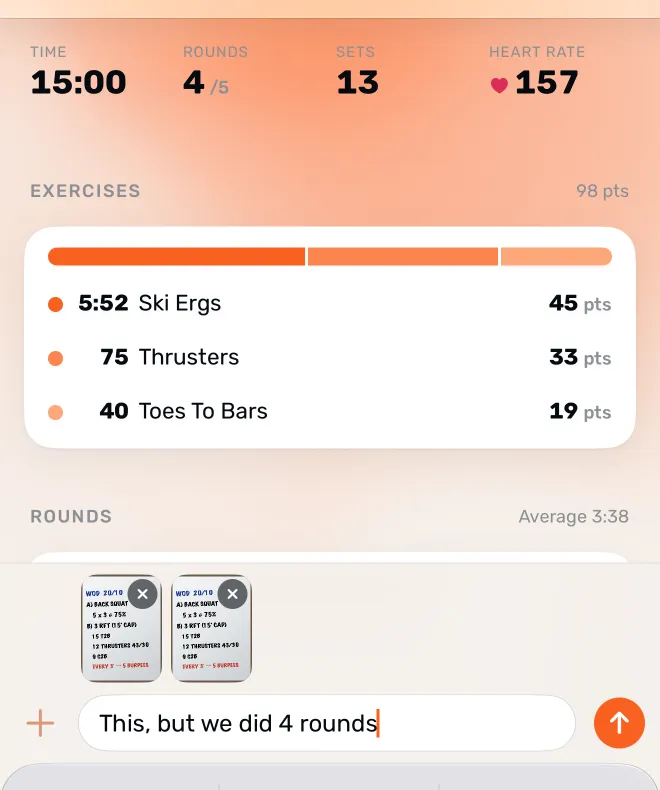
- Send the workout. A message bar opens: type or paste the text, tap + for a photo from your library, or tap the camera to snap the whiteboard. You can send up to two pictures with a line of text, for example “we did 4 rounds”.
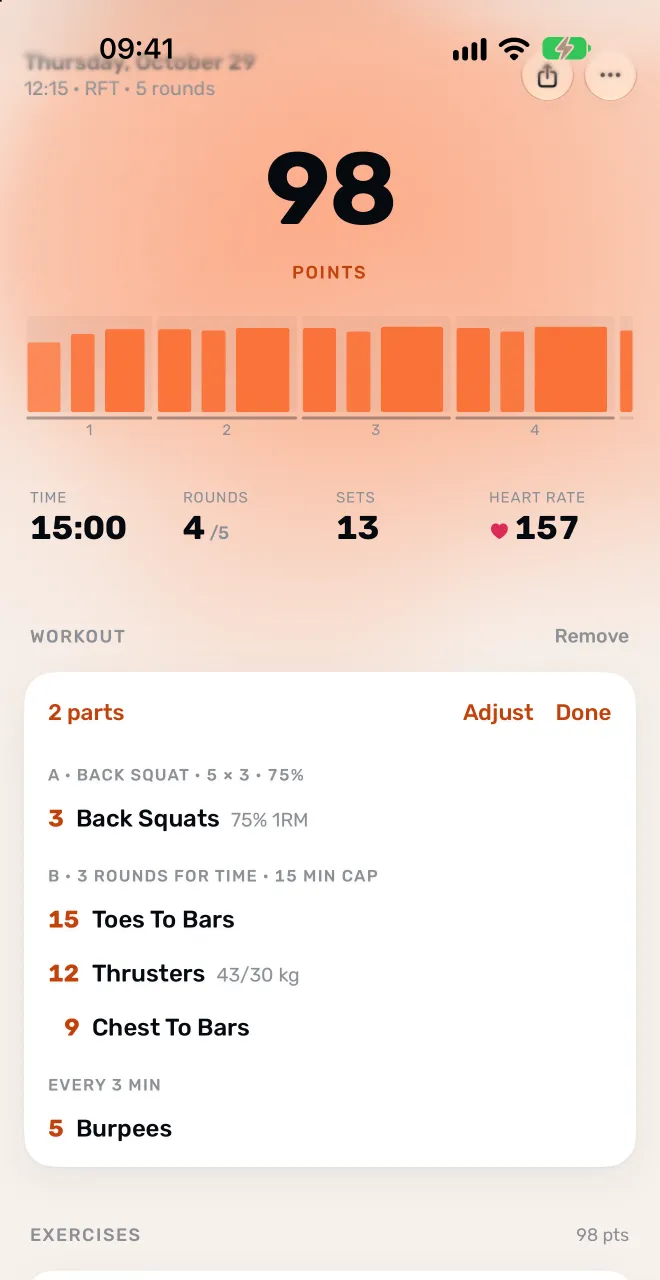
- Check the plan. The plan appears where it will live on the page: its title, its parts and a line per movement, with reps and loads.
- Adjust or save. Tap Adjust and say it in your own words (“thrusters were 50/35”, “only did part B”). Atlon shows what changed, and you can undo it. Tap Done to save.
Once the plan and the recording are both there, Atlon matches the sets your watch detected to the plan. Every part gets its exercises, reps, weights and time, finished work counts the plan’s reps, and movements the watch couldn’t see are filled in from the plan. See How do I correct an exercise or rep count?
You can change a saved plan later with Edit the workout plan in the ⋯ menu, on the workout or on Home.
What a plan can describe
A plan can hold warm-ups and cool-downs, lettered parts (A, B, C), AMRAPs, for-time with caps, EMOMs and “every 2:00” workouts, intervals, buy-ins, ladders, rest between rounds or parts, partner and team workouts, and named benchmark workouts.
Limits
- The plan doesn’t set up your watch. Choose the mode and timer on the watch as usual.
- It uses an outside AI service. What you type and the photos you send go to a third-party AI provider to be read. Don’t send anything you wouldn’t want processed that way.
- Blurry or partial photos may not read. Atlon says so, and you can try a sharper photo or type it.
- You need an internet connection.
- Workouts recorded before workouts were grouped into sessions can’t take a plan until they’re updated.
Related questions
- How do I enter a complex WOD (ladders, buy-ins, two exercises in one EMOM station)?
- Should I record the whole class or just the WOD?
- Can I build my own workouts?
- How do I correct an exercise or rep count after a workout?
- Snap the whiteboard: Atlon’s workout scanner
Updated