
An EMOM timer for Apple Watch that counts your reps
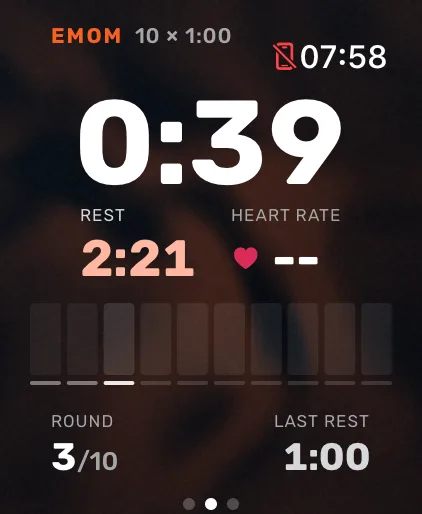
Atlon’s EMOM timer runs on your Apple Watch. Set the interval (0:15 to 5:00) and the rounds, press play, and each new round starts by itself. The watch taps your wrist before the change, shows how much rest you got in the minute before, and counts your reps the whole way, so you don’t need a separate timer or a clock on the wall.
What it does
- Time left in the minute leads the screen. Prefer it counting up? Change it in the watch settings.
- Wrist taps halfway through, with 10 seconds to go, and as the next round starts, for intervals of a minute or longer.
- Your rest, shown after each round: the interval minus the work Atlon detected.
- Reps and exercises, recognised in every round, including alternating EMOMs with a different exercise each minute.
- A big screen: prop your iPhone up and it shows the EMOM full screen, with countdown beeps.
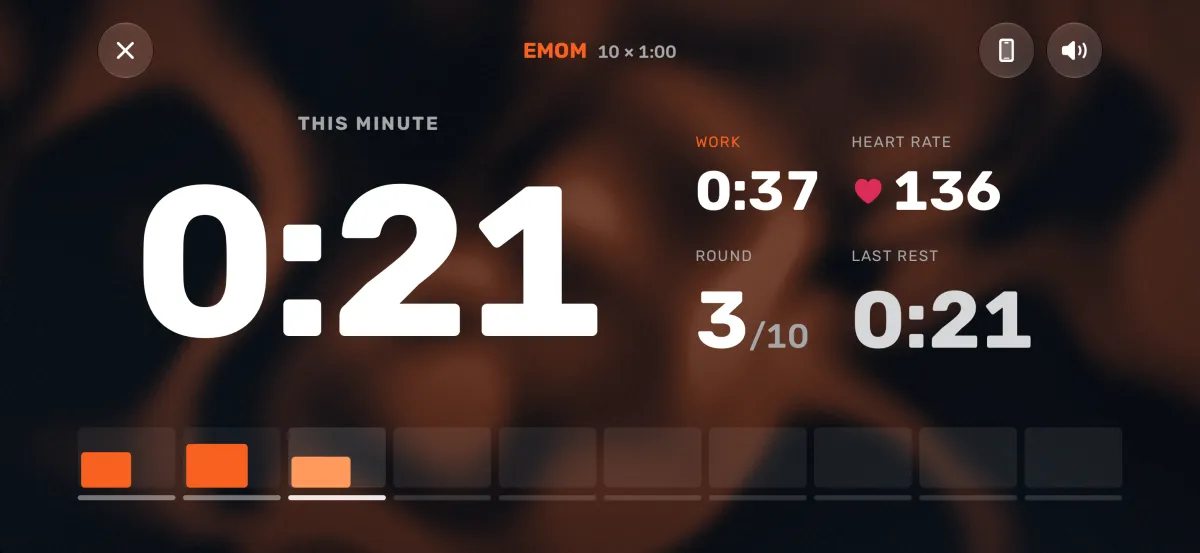
After the EMOM, your results show your points, rounds, heart rate, effort and the exercises Atlon recognised, and the workout is saved to Apple Health.
How to pace an EMOM
Pick work you can finish with rest to spare in every round. In Atlon athletes’ EMOMs, the median athlete spent 20% of the time working, and finished a 1:00 round’s work with about 25 seconds to spare. More in workout formats explained.
Questions
- How do I set up an EMOM on Apple Watch?
- How do I enter a complex WOD?
- Can I use my iPhone as a gym timer?
- How do I set up intervals or Tabata?
Updated