Apple Watch tracks a WOD’s time, heart rate and calories on its own, but Apple’s Workout app doesn’t count reps or log your sets. To track the workout itself, pick a workout type that matches the session, and use an app built for functional fitness. Atlon, for example, recognises your exercises, counts reps and rounds, and times your AMRAPs, EMOMs and intervals on your wrist.
What does Apple Watch track in a WOD on its own?
On its own, Apple Watch records the workout as a whole: how long it lasted, your heart rate and your active calories, and it counts towards your Activity rings. That’s the same whether you choose HIIT, Functional Strength Training or Cross Training in Apple’s Workout app. None of these types counts reps, recognises exercises or logs sets (Apple: Workout types on Apple Watch).
The Workout app can run a timer: a custom workout alternates work and recovery intervals (Apple: Create a custom workout). What it can’t tell you afterwards is what you actually did in those intervals: how many wall balls, how long you rested between sets, or how many rounds you got.
The watch has the sensors to know. An accelerometer and a gyroscope measure every movement of your wrist, and third-party apps can read them during a workout. That’s how a rep-counting app works. See How is Atlon different from the Apple Workout app? for a side-by-side table.
Which workout type should I pick for a WOD?
Pick the type that best matches the session and keep using the same one for the same kind of session, so your history compares like with like. Apple doesn’t publish how the types differ in their calculations, so there’s no “most accurate” choice.
| Session | A sensible type |
|---|---|
| Heavy lifting: squats, deadlifts, bench, Olympic lifts | Traditional Strength Training |
| Bodyweight and mixed strength: pull-ups, push-ups, kettlebells, dumbbells | Functional Strength Training |
| Timed work and rest: Tabata, 40/20, intervals | High Intensity Interval Training |
| A metcon that mixes lifting, gymnastics and cardio | Cross Training, Functional Strength Training or HIIT. Pick one and stick with it |
This table is our suggestion, not Apple’s. If you record with Atlon, you don’t choose at all: it saves Strength sessions as Traditional Strength Training, Intervals as High Intensity Interval Training, and everything else as Cross Training. More in Functional vs traditional strength training vs HIIT.
How can Apple Watch count reps and recognise exercises?
With an app that reads the watch’s motion sensors. Atlon does it in three steps, all on the watch while you train:
- It splits the workout into work and rest.
- It recognises the exercise in each stretch of work, for example wall balls, burpees or kettlebell swings.
- It counts the reps in each set.
Atlon’s exercise detection is >96% accurate, rep counting >92% and work vs. rest detection >98%, and recognition gets better with every release. It covers the movements most WODs are made of: barbell lifts like cleans, snatches, deadlifts and thrusters; gymnastics like pull-ups, toes-to-bar and muscle-ups; burpees, box jumps, wall balls and skipping; and the rower, ski erg, bikes and running. An exercise it doesn’t know is still timed as work.
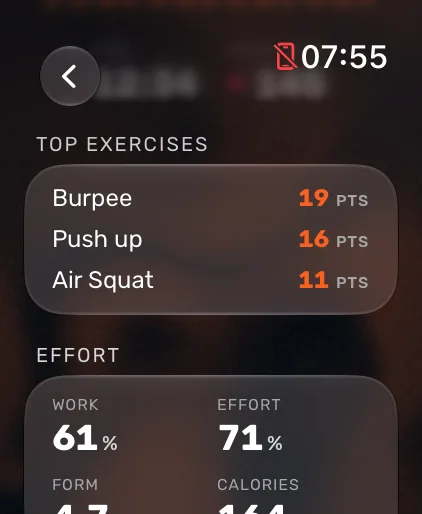
Recognition works best when Atlon knows how you wear the watch. In Atlon’s settings on the watch, set your wrist and crown side under Watch orientation.
How do I time an AMRAP, EMOM or RFT on my watch?
Pick the mode that matches the WOD’s clock and set it up in a few seconds. Each mode times the workout and recognises your exercises at the same time, so you never run a timer app and a tracker side by side.
AMRAP. Set a time cap from 1 to 90 minutes. The clock counts down, and you tap Round as you finish each round. The workout ends by itself at the cap. How to set up an AMRAP
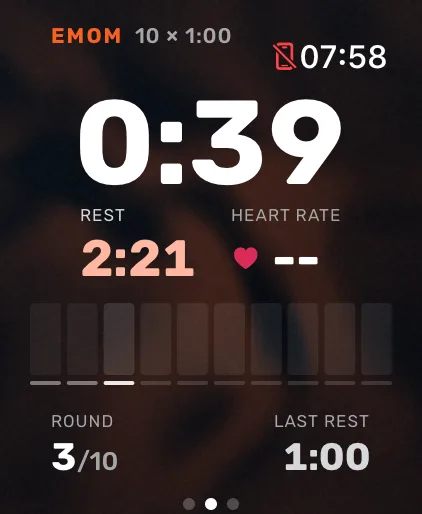
EMOM. Set the interval (from 0:15 to 5:00) and the number of rounds. The watch starts each new round on its own, taps your wrist before the change, and shows how much rest you got in the previous minute. A 10-minute EMOM is 10 rounds every 1:00. How to set up an EMOM
Rounds for time. Set the rounds and, if you want one, a time cap. The clock counts up, you tap Round after each round, and on the last one the button says Finish. Your time is your score, and each round’s time is saved. How to do rounds for time
Intervals and Tabata. Set work, rest and rounds. A classic Tabata is 8 × 0:20 work and 0:10 rest. The watch switches between work and rest by itself. How to set up intervals or Tabata
Just train. No clock to set: press play and train. Use it for a warm-up, an open gym session, or a WOD whose structure doesn’t fit a timer.
Ladders, buy-ins and stations don’t need to go on the watch. Pick the mode that matches the clock, and add the full plan afterwards on your iPhone by snapping the whiteboard, pasting a screenshot or typing it. See How do I enter a complex WOD?
How do I count rounds without touching the screen?
Double tap: tap your index finger and thumb together twice, and Atlon counts the round. It works in Just train, AMRAP and RFT on watches that support Apple’s double tap gesture (such as Series 9 and Ultra 2) running watchOS 11 or later. On other watches, tap Round on screen. In EMOM and Intervals, the timer counts the rounds for you.
If a round gets counted by mistake, Undo replaces the button for 4 seconds. Two taps within 3 seconds count as one round, so a double hit doesn’t add an extra. How to count rounds with double tap
Can Apple Watch track a strength session?
Partly on its own, fully with an app. Apple’s strength workout types record time, heart rate and calories, but they don’t count reps or log sets and weights. Atlon’s Strength mode detects each set as you lift, names the exercise, counts the reps and logs the weight you set.
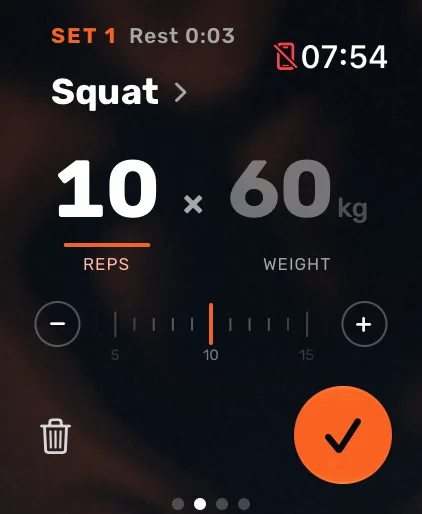
The watch can’t tell how heavy the bar is, so you set the weight while you load it, starting from your last set. When a set ends, its card shows the exercise, reps and weight. If the exercise is wrong, fix it on the card and Atlon uses your correction for the rest of the workout. More on tracking weightlifting
A class with a warm-up, a strength part and a WOD can be recorded one part at a time, each in the mode that fits. Recordings that start within an hour of each other join into one workout. See How do I record a whole class?
How accurate are heart rate and calories in a WOD?
Heart rate is the number to trust. A 2025 University of Mississippi review of 56 studies found an average error of about 4% for Apple Watch heart rate, about 8% for steps and about 28% for calories (University of Mississippi, 2025). We haven’t found a study that tests Apple Watch calories in HIIT, CrossFit-style workouts or weightlifting specifically, so use calories to compare your own sessions, not as an exact count.
Apple estimates calories from the watch’s sensors and your height, weight, gender and age, so keep those up to date in the Health app (Apple: Calibrate your Apple Watch). Atlon doesn’t calculate calories itself; it shows the active calories Apple Health measures.
For how hard you worked, Atlon gives you Effort: your average heart rate placed on a scale from 0 to 99%, next to Work, the share of the workout you spent working rather than resting. How accurate are Apple Watch calories for HIIT? · How Atlon measures effort
Do WODs tracked in an app still close my rings?
Yes, if the app saves the workout to Apple Health. Atlon records every workout as an Apple Health workout with your heart rate and active calories, so it counts towards your Activity rings like one from Apple’s Workout app. The rounds you count are saved with it, as segments you can see in the Health app. How Atlon works with Apple Health
Can the whole gym see the clock?
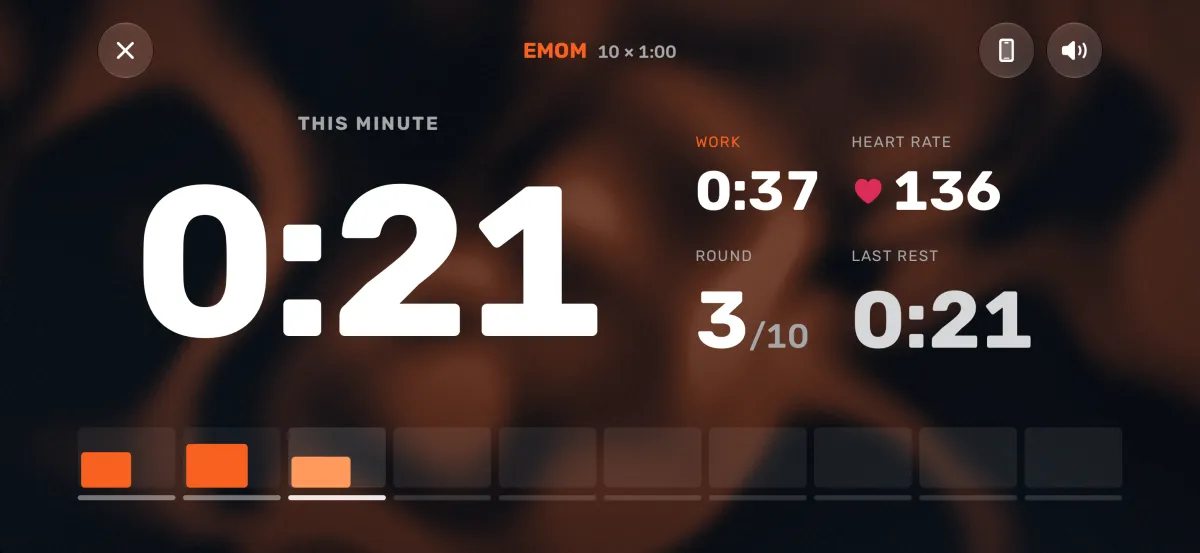
Yes, with your iPhone as the big screen. Prop up your iPhone with Atlon open and start the workout on your watch: the phone shows the clock, the round and your work and rest full screen, with the countdown beeps gyms use. The watch stays in control, so there’s no second timer to start in sync. Use your iPhone as a gym timer
What do Atlon athletes actually track?
Open-ended sessions are the most common, and timed WODs are short. Of the latest 30,000 workouts recorded with Atlon, 42% were Just train, more than any timed mode, and the median AMRAP lasted 14 minutes.
| Mode | Share of workouts | Median length |
|---|---|---|
| Just train | 42.0% | 25 min |
| EMOM | 17.1% | 10 min |
| Strength | 13.3% | 16 min |
| Rounds for time | 12.3% | 13 min |
| AMRAP | 10.4% | 14 min |
| Intervals | 4.9% | 10 min |
The most-recorded exercises, by number of sets, were pull-ups (35,885 sets), running (25,967), snatches (24,276), push-ups (22,039), squats (20,748), rowing (18,343), double-unders (16,999), shoulder-to-overhead (16,887), wall balls (15,359) and deadlifts (15,016).
Method. Atlon’s 30,000 most recent workouts between 1 minute and 2 hours long, excluding test and deleted workouts. Exercises are the ones Atlon recognised, as corrected by the athlete. Atlon users mostly do functional fitness with an Apple Watch, so they aren’t a random sample of everyone who trains.
What are the limits?
- Weights aren’t measured. You set the weight in Strength mode.
- Some exercises have no reps. Planks, carries, rowing and running are timed, not counted.
- Exercises Atlon doesn’t know are timed as work, usually without a name.
- Rounds in AMRAP and RFT are counted by you. If you forget to tap, the round isn’t counted, though your sets and reps still are.
- Atlon is for functional fitness, strength and intervals. For runs with GPS routes, swimming or cycling, use Apple’s Workout app or a dedicated app.
What do I need to get started?
An Apple Watch running watchOS 10 or later (Series 4 and newer, any SE or Ultra) and an iPhone with iOS 18 or later. Install Atlon on both, sign in on the iPhone, allow Apple Health access, and set your wrist under Watch orientation on the watch. Then open Atlon on your watch, pick a mode and press play. Which Apple Watch models work?
If you want to use the data to train smarter, start with how to split your sets in a WOD.
Get Atlon free on the App Store
Sources
- Apple Support: Workout types on Apple Watch
- Apple Support: Create a custom workout on Apple Watch
- Apple Support: Calibrate your Apple Watch
- Apple Support: Use tap gestures on Apple Watch
- University of Mississippi: Apple Watch accuracy study (June 2025)
- Atlon: aggregate data from the 30,000 most recent workouts (method above)
CrossFit is a registered trademark of CrossFit, LLC. Atlon isn't affiliated with or endorsed by it.